Support Chat
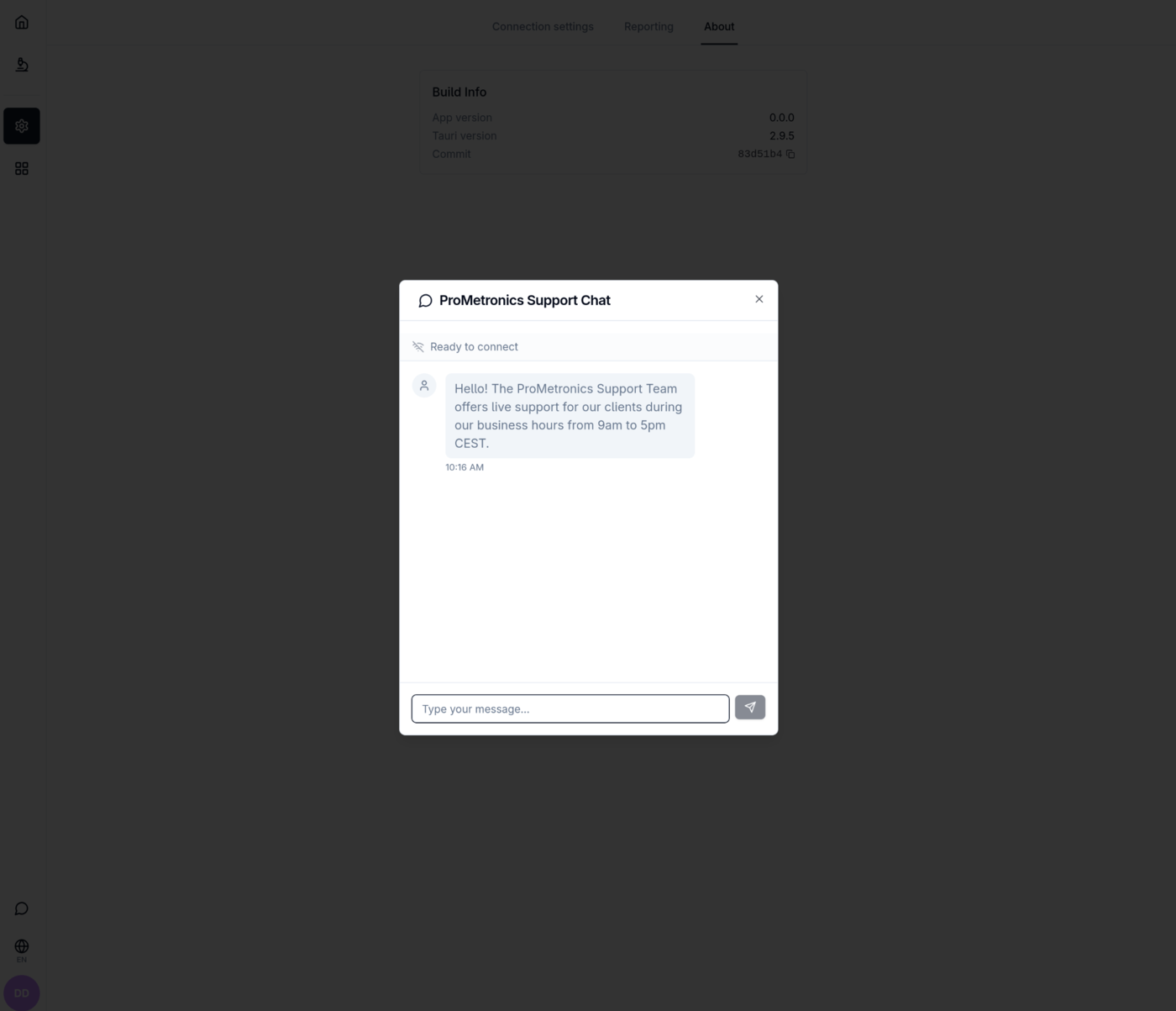
The Support Chat is opened by clicking the speech bubble icon at the bottom of the navigation sidebar. It appears as a floating dialog on top of the current screen.
Connection status
A status bar below the dialog title shows the current WebSocket connection state:
| Status | Indicator | Description |
|---|---|---|
| Ready to connect | Gray WiFi-off icon | Dialog opened for the first time; no connection established yet |
| Connecting | Blue spinning loader | Connection attempt in progress |
| Connected | Green WiFi icon | Live connection to the ProMetronics support backend |
| Disconnected | Red WiFi-off icon | Previously connected but connection was lost |
If a connection error occurs, the error message is shown in the status bar alongside a Retry button.
Chat messages
The message area shows a scrollable conversation thread. Each message displays the message text and a timestamp (local time).
- Support agent messages appear on the left with a gray avatar.
- Your messages appear on the right with a primary-colored avatar.
A welcome message is shown automatically when the dialog opens:
"Hello! The ProMetronics Support Team offers live support for our clients during our business hours from 9am to 5pm CEST."
New messages from the support agent that arrive while the dialog is closed increment an unread count badge on the speech bubble icon in the sidebar. The badge clears when the dialog is opened.
Sending a message
Type in the "Type your message..." input field at the bottom of the dialog and press Enter or click the Send button (paper-plane icon) to send.
- The Send button is disabled while the input is empty or a connection attempt is in progress.
- If this is the first message sent, the app automatically establishes the WebSocket connection before delivering it.
- The message area auto-scrolls to the latest message when you are near the bottom of the conversation.
Closing the dialog
Click the × button in the top-right corner of the dialog to close it. The WebSocket connection is kept alive briefly after closing so that incoming messages can still be received and counted as unread.